How to Clean Car Battery Corrosion (Safely)
Published Oct 23, 2026 · 6 min read · By Hassan, Owner of Roadmate Services
That fuzzy white or blue-green crust is the only thing on your car that grows without being fed. To clean car battery corrosion, turn the engine off, put on gloves and eye protection, take the negative cable off first, and scrub the posts and clamps with baking soda and water. AutoZone suggests 1 tablespoon of baking soda to 1 cup of water. Rinse, dry, reconnect positive first, then protect the terminals.
For most cars it is a short driveway job. A battery that is swollen, cracked or leaking is different: that one needs replacing, not cleaning.
Cleaning battery corrosion at a glance
| Step | What to do | Why |
|---|---|---|
| 1 | Engine off, keys out, gloves and eye protection on | Acid and sparks |
| 2 | Negative cable off, then positive | Prevents a short |
| 3 | Baking soda and water on the crust | Neutralises the acid |
| 4 | Scrub posts and clamps with a battery brush | Bare metal contact |
| 5 | Rinse with a little clean water, dry fully | No residue left behind |
| 6 | Positive on, then negative; tighten both | A solid connection |
| 7 | Terminal grease or felt washers | Slows it coming back |
| Total: a brush, baking soda, water, rags and some patience | Clean, tight terminals |
What corrosion on a car battery looks like and why it forms
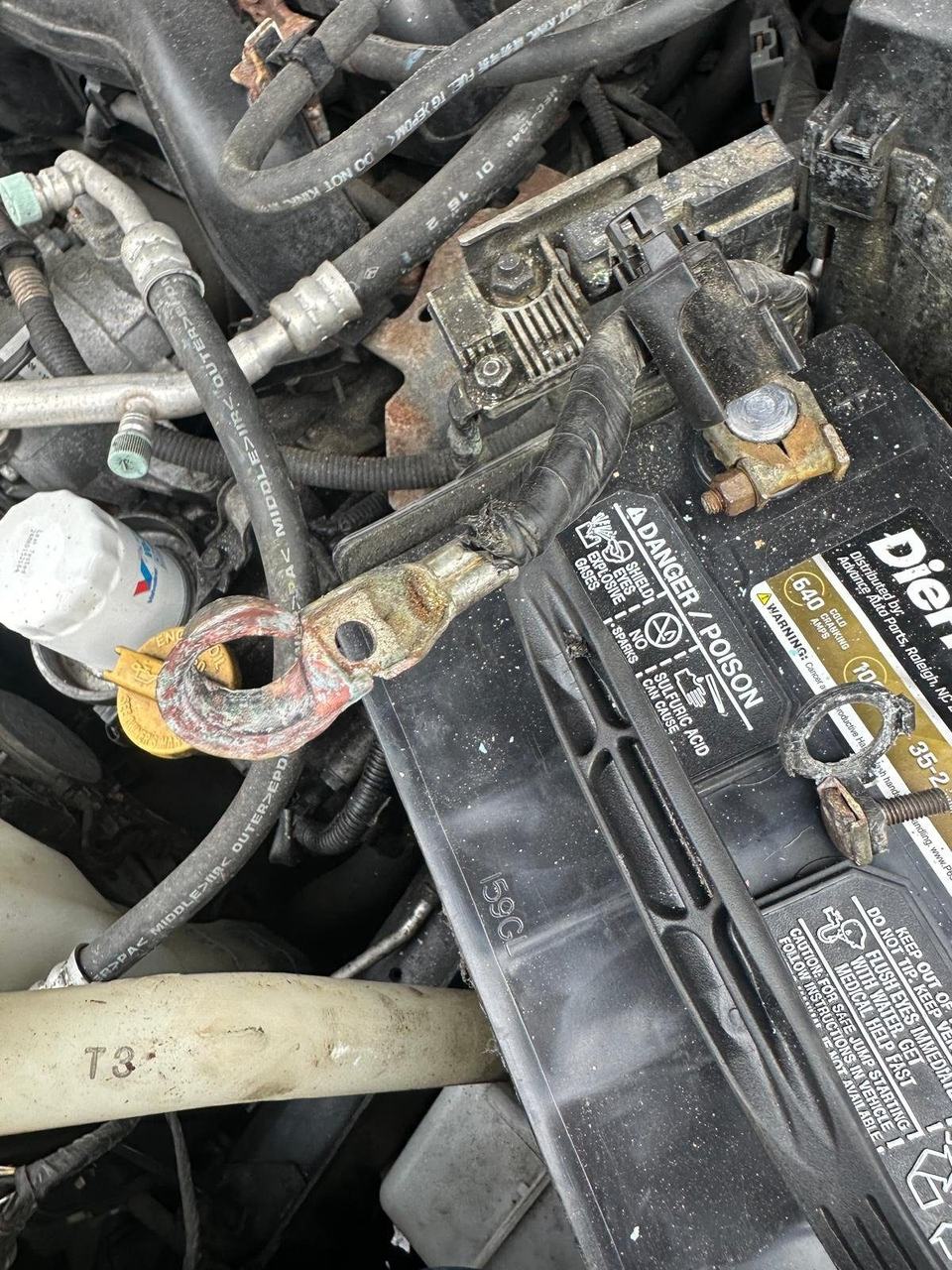
Corrosion on a car battery is a white, blue or green crust on the posts, the cable clamps or the tray under the battery. Your battery is not growing mould. It gives off a little hydrogen gas and acid vapour, and that reacts with the metal around it.
According to AutoZone, heat under the hood, humidity and road salt all speed it up. Ohio winters supply the salt, generously.
Does battery corrosion mean a bad battery?
Not always. A light crust on a battery that starts the car well is normal wear. Corrosion that returns within weeks, a bulging case or acid seeping from the battery itself point to a battery near the end.
Safety first: before you touch the terminals
Battery acid burns skin and eyes, and batteries can give off explosive gas. Follow Clarios battery safety guidance:
- Wear safety glasses or goggles and gloves.
- No cigarettes, flames or sparks near the battery.
- Do not lean over the battery while you work.
- If acid touches your skin or eyes, flush with water and call a doctor straight away.
- If the case is cracked, swollen or leaking, stop. Do not clean it.
How to clean car battery terminals, step by step
1. Disconnect the cables
Engine off, keys out. Loosen and remove the negative (black, minus) cable first, then the positive (red, plus). Our guide on how to disconnect a car battery covers the order and what resets on newer cars.
2. Mix baking soda and water
Stir 1 tablespoon of baking soda into 1 cup of water (AutoZone’s ratio). Brush or pour it onto the crust. It will fizz as it neutralises the acid. Keep it out of the battery cell caps if your battery has them.
3. Scrub the posts and clamps
Use a battery terminal brush or an old toothbrush to scrub the posts and the inside of each clamp until you see bare metal. Clamp ends that are eaten away or crumbling need replacing, not more scrubbing.
4. Rinse, dry and reconnect
Wipe or rinse with a little clean water, then dry everything with a rag. Reconnect the positive cable first, then the negative, and tighten both until the clamps cannot twist by hand.
5. Protect the terminals
Put anti-corrosion felt washers over the posts or coat the terminals with terminal grease. AutoZone prefers a silicone-based grease over petroleum jelly because it holds up better to under-hood heat.
How to clean battery acid off the tray and hood area
With gloves on, pour some of the same baking soda mix on the tray and the hold-down bracket, let it fizz out, and wipe it up with rags you can throw away. Treat any crust on nearby cables the same way.
If fresh acid keeps appearing, the battery is leaking. Cleaning will not fix that; the battery needs replacing.
Baking soda, vinegar or cola?
Baking soda is the one to use. It is a mild base, so it neutralises battery acid. Vinegar is an acid itself: it may loosen the crust, but it does not neutralise anything. Cola gets passed around as a hack; we do not recommend it, because it leaves a sugary film on the terminals.
The box that keeps your fridge fresh can keep your car starting too. Save the cola for the drive.
Can battery corrosion stop a car from starting?
Yes. The crust sits between the clamp and the post and blocks current, and Clarios lists corrosion and loose connections as a cause of starting problems. A healthy battery behind a crusted terminal is like a full coffee pot with a blocked spout.
You may hear clicking, get a slow crank or see the dash go dark. If that sounds familiar, read why a car clicks but won’t start. If the battery dies again after a clean, see why a car battery keeps dying.
When cleaning isn’t enough: battery replacement in Columbus
Not everything is a roadside job, and we will say so. A crusted terminal is a driveway clean-up you can do yourself. A battery that is swollen, cracked, leaking or keeps corroding is a replacement.
- We fit DieHard batteries, and common sizes are on the truck.
- We take the old battery away for recycling.
- Most replacements take 15 to 45 minutes on site, depending on the vehicle.
- Battery replacement is quoted by phone, because the battery depends on your car.
See mobile battery replacement in Columbus. The old one will not miss you.
Frequently asked questions
Is baking soda or vinegar better for battery corrosion?
Baking soda. Battery corrosion comes from acid, and baking soda is a mild base that neutralises it. Vinegar is itself an acid, so it can loosen the crust but does not neutralise what is underneath.
Can Coca-Cola clean battery corrosion?
Cola can loosen some of the crust, but we do not recommend it. It leaves a sticky, sugary film on the terminals and the tray. Baking soda and water costs less and leaves nothing behind once rinsed.
Does battery corrosion mean a bad battery?
Not always. A little crust on an otherwise healthy battery is normal wear and cleans off. Corrosion that keeps coming back within weeks, a swollen or cracked case, or acid leaking from the battery itself are signs it should be replaced.
How often should you check battery terminals for corrosion?
AutoZone recommends checking the battery at least twice a year, and more often in very hot, cold or humid weather. A quick look when you check the oil is an easy habit.
Can you clean battery terminals without disconnecting them?
You can brush off loose crust, but it is safer to disconnect the cables first. Metal tools near a connected positive terminal can cause a short and sparks. Take the negative off first.
The bottom line
To clean car battery corrosion, protect your eyes and hands, take the negative cable off first, neutralise the crust with baking soda and water, scrub to bare metal, then reconnect positive first and protect the terminals. Check them at least twice a year. If the battery is swollen, leaking or the crust keeps coming back, replace the battery instead.
Battery past cleaning?
Roadmate replaces batteries where your car is parked in Columbus. Call (380) 288-2822, 6 AM to 8 PM daily, Eastern Time. A dispatcher confirms the battery, the price and an arrival estimate before anyone heads your way.
Here is to shiny terminals and gloriously boring mornings.